
Tilesets
We prepare and publish a number of ready-to-use tilesets. There are two ways to use them:
- Download the
.versatilescontainer from download.versatiles.org and serve it yourself. - Use our hosted tiles at
https://tiles.versatiles.org/tiles/<tileset>/{z}/{x}/{y}— our demo server, open to everyone but without uptime guarantees. See Use tiles.versatiles.org.
| Tileset | Type | Zoom | Download | Maturity | Hosted as |
|---|---|---|---|---|---|
| OSM Shortbread | vector | 0–14 | 62 GB | stable | – |
| OSM + Landcover | vector | 0–14 | 64 GB | beta | osm |
| Hillshade | vector | 0–12 | 105 GB | alpha | hillshade-vectors |
| Landcover | vector | 0–10 | 1.9 GB | beta | – |
| Bathymetry | vector | 0–10 | 0.7 GB | alpha | bathymetry-vectors |
| Elevation | raster | 0–12 | 407 GB | beta | elevation |
| Satellite | raster | 0–12 globally, more regionally | 1.6 TB | alpha | satellite |
The hosted osm tileset is the merged OSM + Landcover variant. File sizes are approximate and grow over time — download.versatiles.org is the authoritative source.
Getting the containers
Beyond the plain download links below, the download server also offers:
- Dated snapshots of the OSM tilesets (e.g.
osm.20260608.versatiles) next to the always-currentosm.versatiles, plus an RSS feed per tileset so you can watch for new builds. - Format conversion and bounding-box extracts on the fly: pick
.versatiles,.pmtiles,.mbtilesor.tarand an area, and the site generates the matchingversatiles convertorcurlcommand for you. A regional extract is usually a few hundred megabytes instead of tens of gigabytes. - A URL list (
urllist_<tileset>.tsv) per tileset for scripted downloads.
OSM Shortbread Vector Tiles
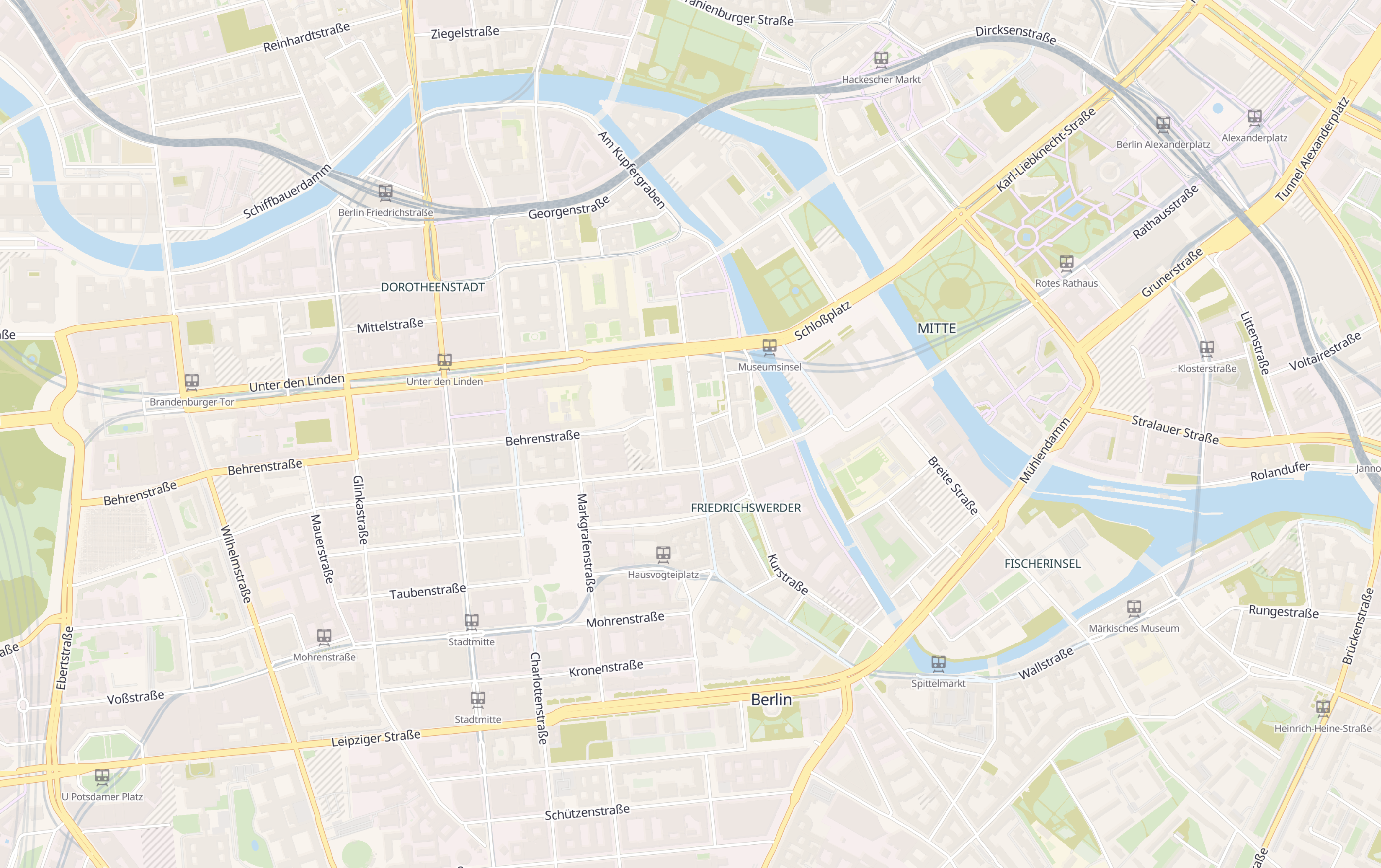
A set of general purpose vector tiles based on OpenStreetMap data using the Shortbread schema, covering the whole planet from zoom level 0 to 14.
- Download
osm.versatiles(62 GB) — plain OSM Shortbread - Download
osm-landcover.versatiles(64 GB, beta) — the same tiles pre-merged with Landcover, ready to use without further processing - How to generate tiles
IMPORTANT
The hosted tileset at https://tiles.versatiles.org/tiles/osm/{z}/{x}/{y} is the merged variant: it contains OpenStreetMap and landcover data. If you use it, you must also attribute ESA WorldCover — see Landcover below.
Style
There are several ready-made Public Domain styles available.
Licence & Attribution
- OpenStreetMap data is licensed under Open Database License 1.0 and requires attribution to OpenStreetMap contributors
- The Shortbread schema is licensed under CC-0 and does not require additional attribution.
- If you use the merged variant (including the hosted
osmtileset), add the Landcover attribution as well.
Hillshade
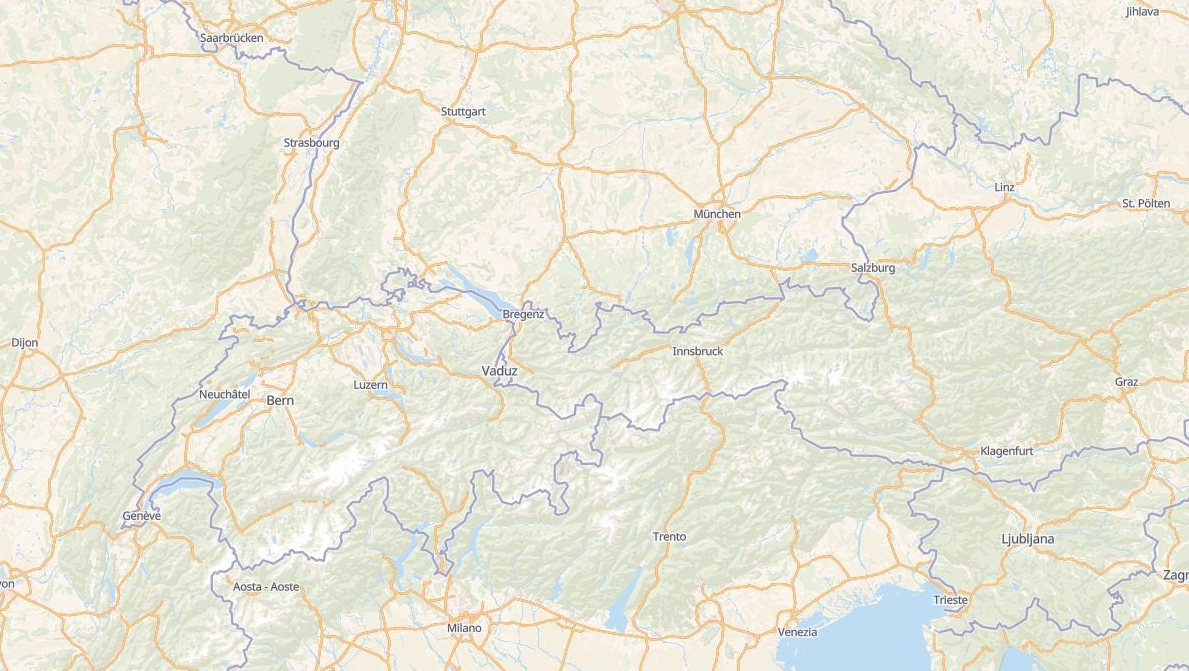
A set of general purpose vector tiles for simulating a shaded relief. Based on Mapzen Jörð Terrain Tiles, inspired by Datawrapper.
- Download (105 GB, alpha)
TIP
Hillshading as vector polygons is cheap to render and works in any MapLibre style, but the container is large and the result is coarse above zoom level 12. If you can afford a raster-dem source and the larger download, Elevation gives you MapLibre's own hillshading and 3D terrain from a single tileset, at any zoom level up to 12.
Style
There is one layer called hillshade-vectors with a property shade:
lightLight ShadesdarkDark Shades
Example
{
  // ...
  "sources": {
    "versatiles-hillshade": {
      "tilejson": "3.0.0",
      "name": "VersaTiles Hillshade Vectors",
      "description": "VersaTiles Hillshade Vectors based on Mapzen Jörð Terrain Tiles",
      "attribution": "<a href=\"https://github.com/tilezen/joerd/blob/master/docs/attribution.md\">Mapzen Terrain Tiles, DEM Sources</a>",
      "tiles": ["https://tiles.versatiles.org/tiles/hillshade-vectors/{z}/{x}/{y}"],
      "type": "vector",
      "scheme": "xyz",
      "format": "pbf",
      "bounds": [ -180, -85.0511287798066, 180, 85.0511287798066 ],
      "minzoom": 0,
      "maxzoom": 12,
      "vector_layers":[{ "id": "hillshade-vectors", "fields": { "shade": "String" }, "minzoom": 0 ,"maxzoom": 12 }]
    }
  },
  "layers": [
    {
      "id": "hillshade-light",
      "type": "fill",
      "source-layer": "hillshade-vectors",
      "source": "versatiles-hillshade",
      "filter": [ "all", ["==", "shade", "light"] ],
      "paint": {
        "fill-color": "#ffffff",
        "fill-opacity": { "stops": [[0, 0], [4, 0.2]] },
        "fill-antialias": true,
        "fill-outline-color": "#ffffff00"
      }
    },
    {
      "id": "hillshade-dark",
      "type": "fill",
      "source-layer": "hillshade-vectors",
      "source": "versatiles-hillshade",
      "filter": [ "all", ["==", "shade", "dark"] ],
      "paint": {
        "fill-color": "#000000",
        "fill-opacity": { "stops": [[0, 0], [4, 0.05]] },
        "fill-antialias": true,
        "fill-outline-color": "#00000000"
      }
    }
  ]
}
Licence & Attribution
- Mapzen Jörð Terrain Tiles (Access via AWS) uses variously licensed sources with attribution requirements
- The VersaTiles Hillshade Vectors tileset is licensed CC BY 4.0 carrying forward these attribution requirements
Landcover
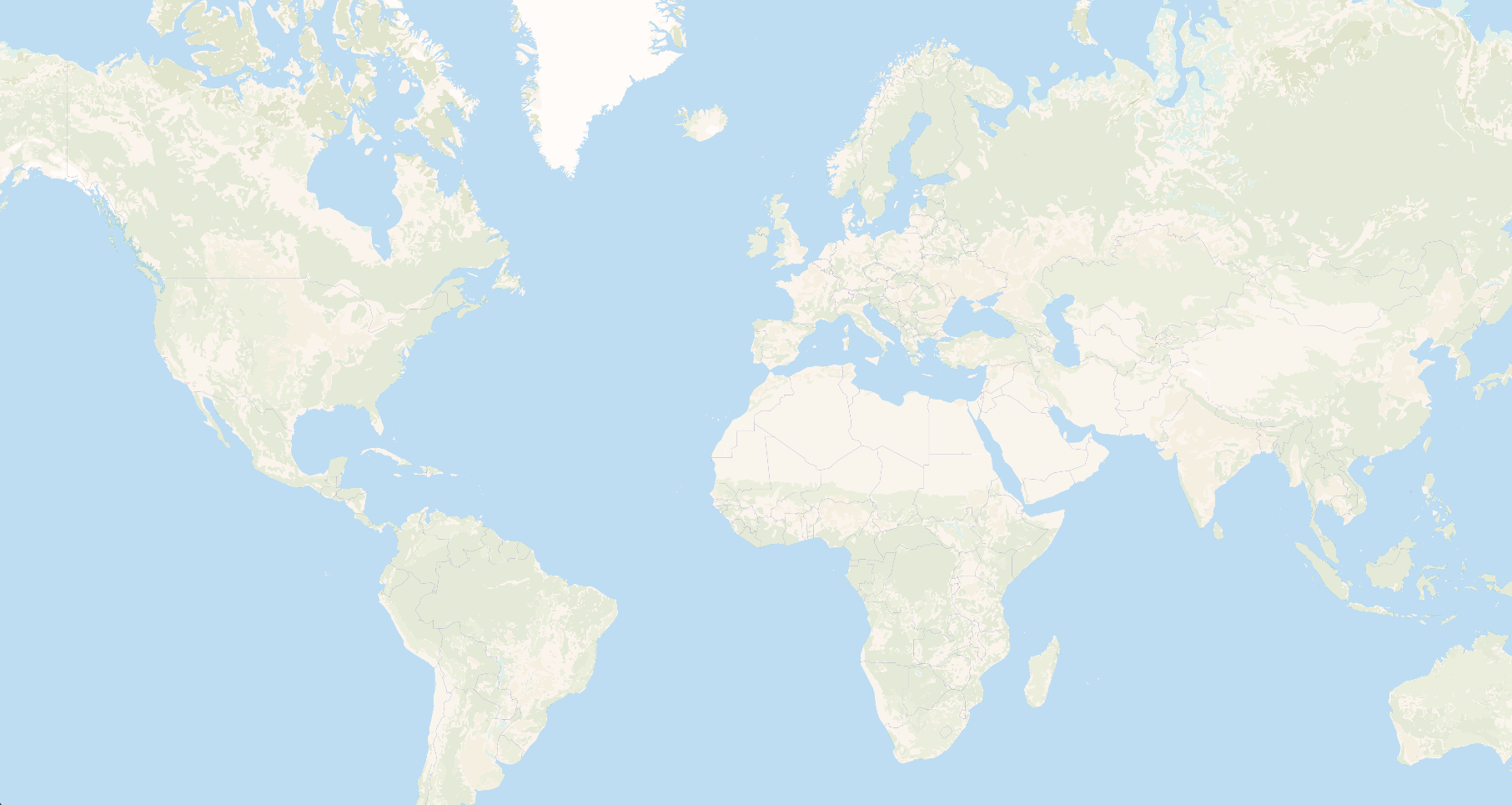
A set of vector tiles based on ESA WorldCover satellite data. Shortbread's land and water_polygons layers are derived purely from OpenStreetMap, so they are sparse and only start at higher zoom levels — a world map at zoom 0–6 shows almost no land cover. This tileset fills exactly that gap with a complete, generalized classification from global satellite imagery.
- Download
landcover-vectors.versatiles(1.9 GB, beta) — land cover only, to merge yourself - Download
osm-landcover.versatiles(64 GB, beta) — pre-merged with OSM Shortbread, ready to use - Repository
It is not served standalone on tiles.versatiles.org; the hosted osm tileset already includes it.
Style
IMPORTANT
This tileset does not define a layer of its own. It writes into Shortbread's existing land and water_polygons layers, using Shortbread's existing kind values (forest, farmland, residential, bare_rock, heath, scrub, grassland, marsh, swamp, glacier, water) — only below the zoom level where OSM introduces each kind, so the two never overlap.
Because it adds no new layers or attributes, no new style rules are needed for the data to validate and render as ordinary Shortbread. But the stock styles fade these kinds in at the zoom level where OSM introduces them, so the low-zoom cover stays invisible until you ask for it. In @versatiles/style v6, one option does that:
import { osm } from '@versatiles/style';

const style = osm({ theme: 'colorful', features: { landcover: true } });
This drops the zoom-based fade-in from every layer that renders a land cover kind, so land and water_polygons are drawn from zoom level 0. It works with every theme. osm.supportsLandcover(tileJSON) tells you whether a tileset carries the land cover. Only enable it on a tileset that actually has the land cover merged in — on plain OSM tiles the affected layers would pop in abruptly instead of fading.
The full ESA WorldCover → Shortbread mapping, the per-kind zoom cutoffs and the reasoning behind the lossy generalizations are documented in Shortbread Low-Zoom Land Cover.
Merging it yourself
If you don't want the pre-merged osm-landcover.versatiles, feature-merge the two containers with the VersaTiles CLI:
versatiles convert '[,vpl](from_merged_vector [ from_container filename="https://download.versatiles.org/osm.versatiles", from_container filename="https://download.versatiles.org/landcover-vectors.versatiles" ])' combined.versatilesNOTE
The merge is processing-heavy and can take hours. That is exactly the work the pre-merged download saves you.
Licence & Attribution
- ESA WorldCover is licensed CC BY 4.0
- The VersaTiles Landcover Vectors tileset is derived from ESA WorldCover and therefore also licensed CC BY 4.0
- Attribution:
© ESA WorldCover project 2021 / Contains modified Copernicus Sentinel data (2021) processed by ESA WorldCover consortium
Bathymetry
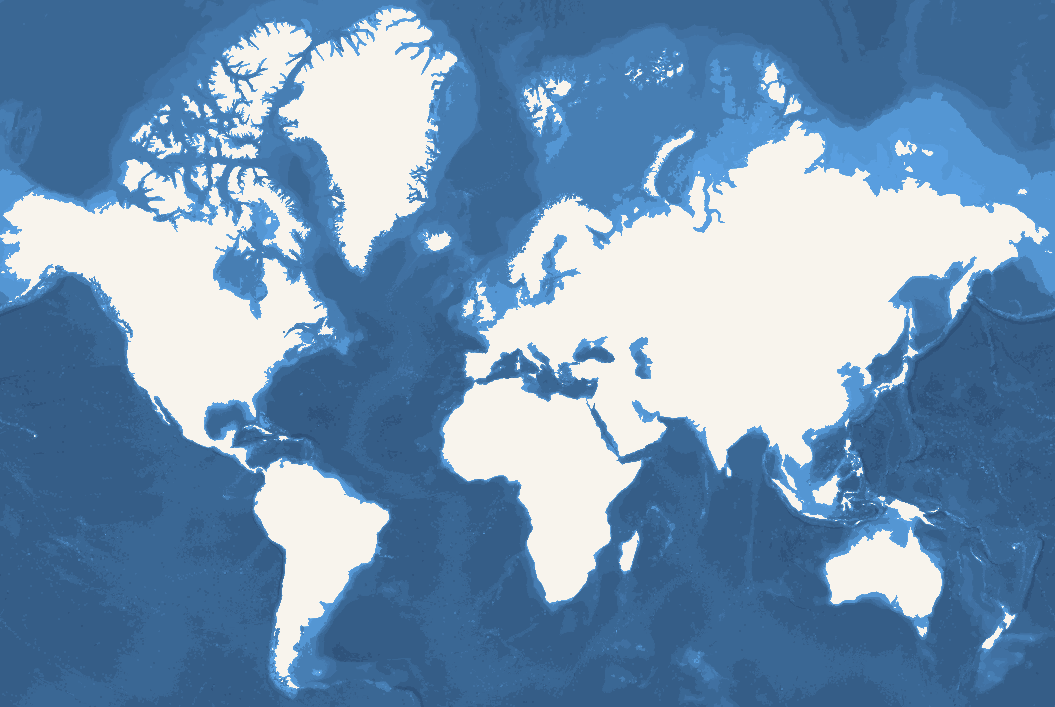
A set of vector tiles based on Bathymetry Shapefiles from OpenDEM.
- Download (0.7 GB, alpha)
- Repository
Style
There is one layer called bathymetry with a numeric property mindepth. Its values are negative metres below sea level (0 being the coastline contour), and the steps get finer with each zoom tier:
| Zoom | mindepth values |
|---|---|
| 0–5 | 0, -100, -500, -1000, -2000, -4000, -6000, -8000 |
| 6–9 | 0, -50, -100, -500, -1000, -1500, -2000, -3000, -4000, -5000, -6000, -7000, -8000, -9000 |
| 10 | -25, -50, -100, -200, -250, -500, -750, -1000, -1250, -1500, -1750, -2000, -2500, -3000, -3500, -4000, -4500, -5000, -5500, -6000, -6500, -7000, -7500, -8000, -8500, -9000, -9500 |
The deepest steps only occur where such depths actually exist, so most tiles carry a subset of these values.
Example
{
  // ...
  "sources": {
    "bathymetry-gebco-opendem": {
      "tilejson": "3.0.0",
      "name": "OpenDEM GEBCO Bathymetry",
      "description": "Bathymetry Vectors based on GEBCO 2021 derived contour polys provided by OpenDEM",
      "attribution": "Derived product from the <a href=\"https://www.gebco.net/data_and_products/historical_data_sets/#gebco_2021\">GEBCO 2021 Grid</a>, made with <a href=\"https://www.naturalearthdata.com/\">NaturalEarth</a> by <a href=\"https://opendem.info\">OpenDEM</a>",
      "tiles": ["https://tiles.versatiles.org/tiles/bathymetry-vectors/{z}/{x}/{y}"],
      "type": "vector",
      "scheme": "xyz",
      "format": "pbf",
      "bounds": [ -180, -81.2550323, 180, 85.0511288 ],
      "minzoom": 0,
      "maxzoom": 10,
      "vector_layers":[{ "id": "bathymetry", "fields": { "mindepth": "Number" }, "minzoom": 0 ,"maxzoom": 10 }]
    }
  },
  "layers": [
    {
      "id": "bathymetry-gebco-opendem",
      "type": "fill",
      "source": "bathymetry-gebco-opendem",
      "source-layer": "bathymetry",
      "layout": {
        "visibility": "visible"
      },
      "paint": {
        "fill-opacity": 1,
        "fill-antialias": false,
        "fill-color": ["case",
          ["==", ["get", "mindepth"], -25], "#0084bd",
          ["==", ["get", "mindepth"], -50], "#0181ba",
          ["==", ["get", "mindepth"], -100], "#017fb6",
          ["==", ["get", "mindepth"], -200], "#027cb3",
          ["==", ["get", "mindepth"], -250], "#0279af",
          ["==", ["get", "mindepth"], -500], "#0276ac",
          ["==", ["get", "mindepth"], -750], "#0374a8",
          ["==", ["get", "mindepth"], -1000], "#0371a5",
          ["==", ["get", "mindepth"], -1250], "#036ea1",
          ["==", ["get", "mindepth"], -1500], "#036c9e",
          ["==", ["get", "mindepth"], -1750], "#03699b",
          ["==", ["get", "mindepth"], -2000], "#036797",
          ["==", ["get", "mindepth"], -2500], "#036494",
          ["==", ["get", "mindepth"], -3000], "#036191",
          ["==", ["get", "mindepth"], -3500], "#035f8d",
          ["==", ["get", "mindepth"], -4000], "#035c8a",
          ["==", ["get", "mindepth"], -4500], "#035a87",
          ["==", ["get", "mindepth"], -5000], "#025783",
          ["==", ["get", "mindepth"], -5500], "#025580",
          ["==", ["get", "mindepth"], -6000], "#02527d",
          ["==", ["get", "mindepth"], -6500], "#025079",
          ["==", ["get", "mindepth"], -7000], "#014d76",
          ["==", ["get", "mindepth"], -7500], "#014b73",
          ["==", ["get", "mindepth"], -8000], "#014870",
          ["==", ["get", "mindepth"], -8500], "#01466c",
          ["==", ["get", "mindepth"], -9000], "#004369",
          ["==", ["get", "mindepth"], -9500], "#004166",
          "#0097d6"
        ]
      }
    }
  ]
}
Licence & Attribution
- The GEBCO Grid is placed in the public domain and may be used free of charge. Use of the GEBCO Grid indicates that the user accepts the conditions of use and disclaimer information.
- Attribution: Derived product from the GEBCO 2021 Grid, made with NaturalEarth by OpenDEM
Elevation
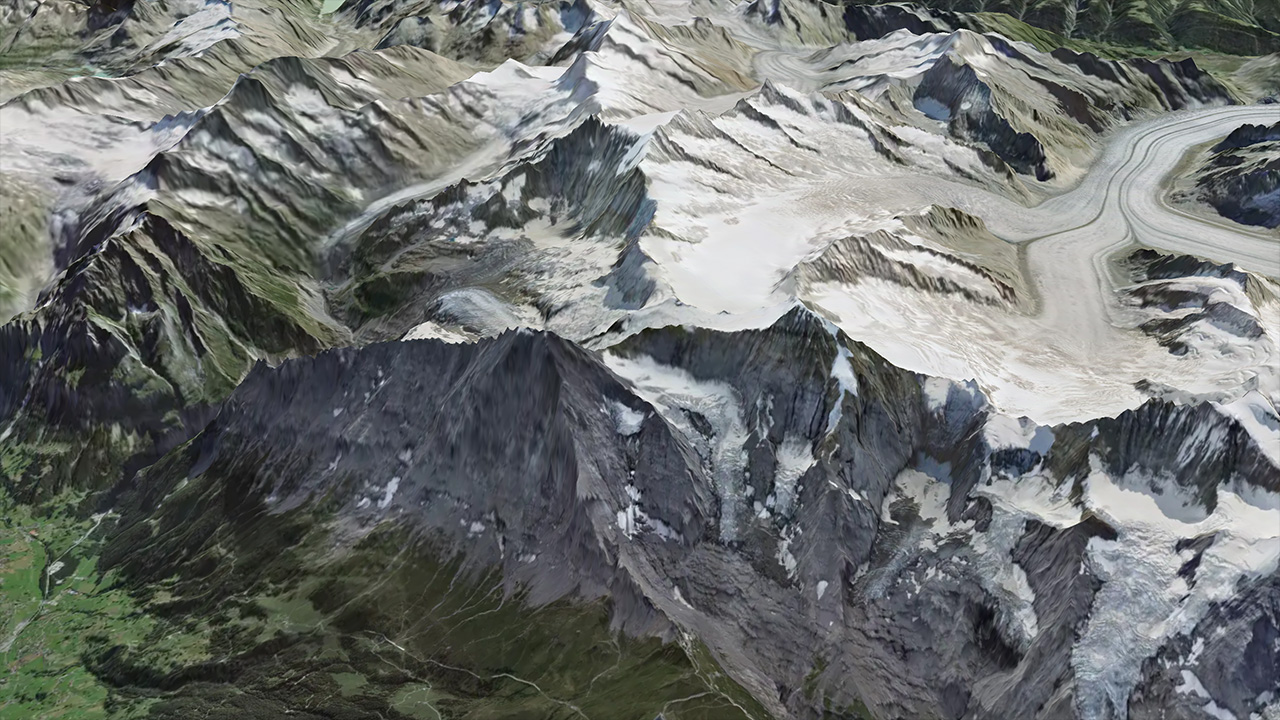
Global elevation data encoded as raster tiles in Terrarium format. The underlying DEM data is sourced from mapterhorn.com. To reduce file size by roughly 40 %, the elevation values are quantised before encoding — the resulting precision loss is visually unnoticeable for hillshading and 3D terrain.
- Download (407 GB, beta)
- Repository
Format
512 × 512 pixel WebP tiles, zoom levels 0 to 12. Each pixel encodes the elevation in metres as:
elevation (m) = (red × 256 + green + blue / 256) − 32768Style
Use it as a raster-dem source in MapLibre for hillshading or 3D terrain:
{
  // ...
  "sources": {
    "versatiles-elevation": {
      "type": "raster-dem",
      "tiles": ["https://tiles.versatiles.org/tiles/elevation/{z}/{x}/{y}"],
      "tileSize": 512,
      "minzoom": 0,
      "maxzoom": 12,
      "encoding": "terrarium",
      "attribution": "<a href=\"https://mapterhorn.com/attribution\">© Mapterhorn</a>"
    }
  },
  "terrain": { "source": "versatiles-elevation", "exaggeration": 1.5 },
  "layers": [
    {
      "id": "hillshade",
      "type": "hillshade",
      "source": "versatiles-elevation",
      "paint": { "hillshade-exaggeration": 0.5 }
    }
  ]
}
Licence & Attribution
- Attribution: © Mapterhorn
- See the repository for the full list of data sources and their attribution requirements.
Satellite
Satellite and orthophoto imagery from open data sources, available as 512 × 512 pixel WebP raster tiles.
- Download (1.6 TB, alpha)
- Repository
NOTE
Coverage is not uniform. Satellite imagery covers the whole planet up to about zoom level 12. Beyond that, the tileset is built from high-resolution orthophotos published by European national mapping agencies, so deep zoom levels are only available for a growing set of European countries, and the maximum zoom differs per region. Outside those regions, tiles above zoom 12 do not exist.
Style
{
  // ...
  "sources": {
    "versatiles-satellite": {
      "type": "raster",
      "tiles": ["https://tiles.versatiles.org/tiles/satellite/{z}/{x}/{y}"],
      "tileSize": 512,
      "minzoom": 0,
      "maxzoom": 12,
      "attribution": "<a href=\"https://versatiles.org/sources/\">VersaTiles sources</a>"
    }
  },
  "layers": [
    {
      "id": "satellite",
      "type": "raster",
      "source": "versatiles-satellite"
    }
  ]
}
Licence & Attribution
See the repository for the full list of data sources and their attribution requirements.